How we set up a client's marketing
For the team. Every piece we build for a tree client, how the pieces feed each other, and what is set up today versus not yet. Real client accounts and real ads.
One system, not separate channels. Facebook finds homeowners who are not looking yet. Google catches the ones searching right now. Both land on the client's own pages, where the pixel tags every visitor. Retargeting brings back everyone who did not call. Every lead goes into the CRM, gets a text in 60 seconds, and shows up in Client Command.
The system
The link most people miss: Google feeds Facebook
Someone clicks a client's Google ad, lands on their Google landing page and does not call. If the Meta pixel is on that page, that person joins a Facebook retargeting audience. Over the next days they see the client's crew, reviews and offer on Facebook and Instagram. The client paid Google once for the click, and Facebook keeps them in front of that homeowner for a few cents.
Set up today, and not yet
Set up today
- Facebook new-lead campaign with the filter: Running for clients
- Google search ads, negatives, town landing pages: Running for Google clients
- CRM, text in 60 seconds, review machine: In every account
- Client Command report: Live for Kansas City
- Meta pixel on the Google landing page: Not there. Checked lp.kctreecareks.net today: Google Ads tag and GoHighLevel call tracking only
- Meta pixel on the Facebook landing page: Not there. Checked kctc-tree-lp.pages.dev today: it posts the form to a webhook, no pixel
- Retargeting campaign: Not running for any client
- Organic boost campaign: Not running for any client
- Client Command report for every client: Only Kansas City has every tab on
Setting up a new client
The order we build things in, so every piece is ready before the one that needs it.
Accounts and tracking
Their Facebook ad account and page, Google Ads under our manager account, their CRM, and the Meta pixel installed on every page we send traffic to. Nothing launches without the pixel.
Their landing pages
The Facebook page (3 questions, lead form, book-a-call step) and, for Google clients, one page per town. Both send leads into the CRM.
Campaigns 2 and 3: retargeting and organic
The five retargeting audiences built from the pixel and the page, and a small boost behind their organic posts. These fill up from week one, so they can launch once there are people in them.
Three campaigns that feed each other
Campaign 1 brings new leads now. Campaigns 2 and 3 make the whole town know the client's name, so the next storm call goes to them.
| Campaign | Goal | Who sees it | What runs |
|---|---|---|---|
| 1. New leads | Leads: forms and calls | Homeowners in the service area who have never heard of the client. Poverty areas, renters and schools cut out | Every angle: owner story, storm, big crane. One ad set per angle so we see which one pays |
| 2. Retargeting | Leads | People who already raised a hand: page visitors from Facebook and Google, ad viewers, followers, video watchers, past customers | Proof, reviews and the offer. In full → |
| 3. Their organic content | Views | Local people in the service area | Posts and reels the client already made, with a small budget. In full → |
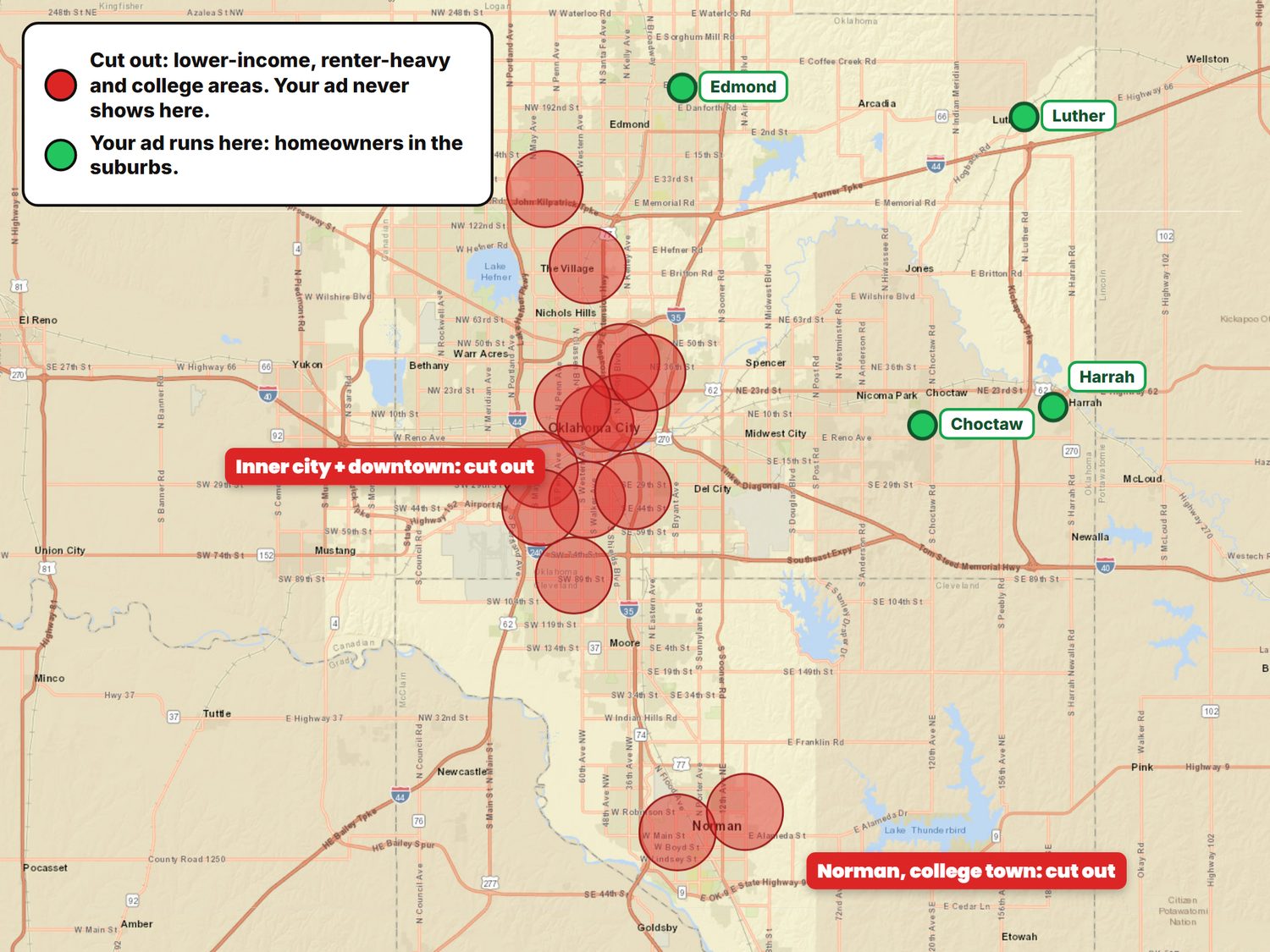
How the filter works
- We draw the service area on the map
- Then cut out the ZIP codes that bring junk: poverty areas, renter-heavy blocks, schools and college areas
- What is left is homeowners in the suburbs, the people who pay for tree work
- Same filter on every campaign, so retargeting never pays for the areas we cut
Set up today, and not yet
Set up today
- Campaign 1, new leads, with the filter: Running for clients
- Campaign 2, retargeting: Not running for any client
- Campaign 3, organic boost: Not running for any client
Their own landing pages
A page asks the questions before the phone rings, so the client gets fewer junk leads and more real estimates. And every visitor gets tagged by the pixel, even the ones who leave.
The Facebook landing page
Kansas City Tree Care is the only client with a Facebook landing page today. It is the one we are testing: once it proves out, every client gets one built the same way.
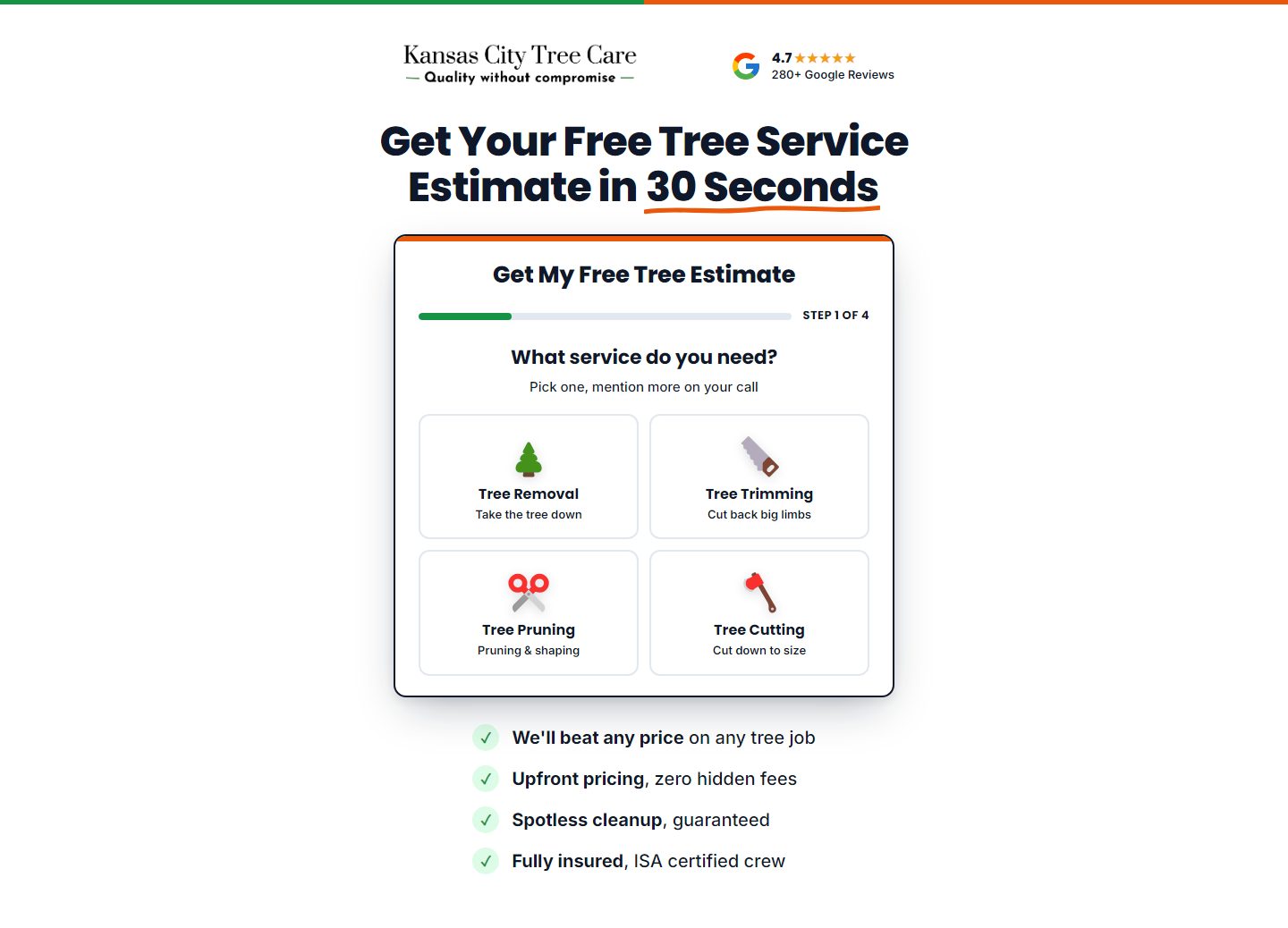
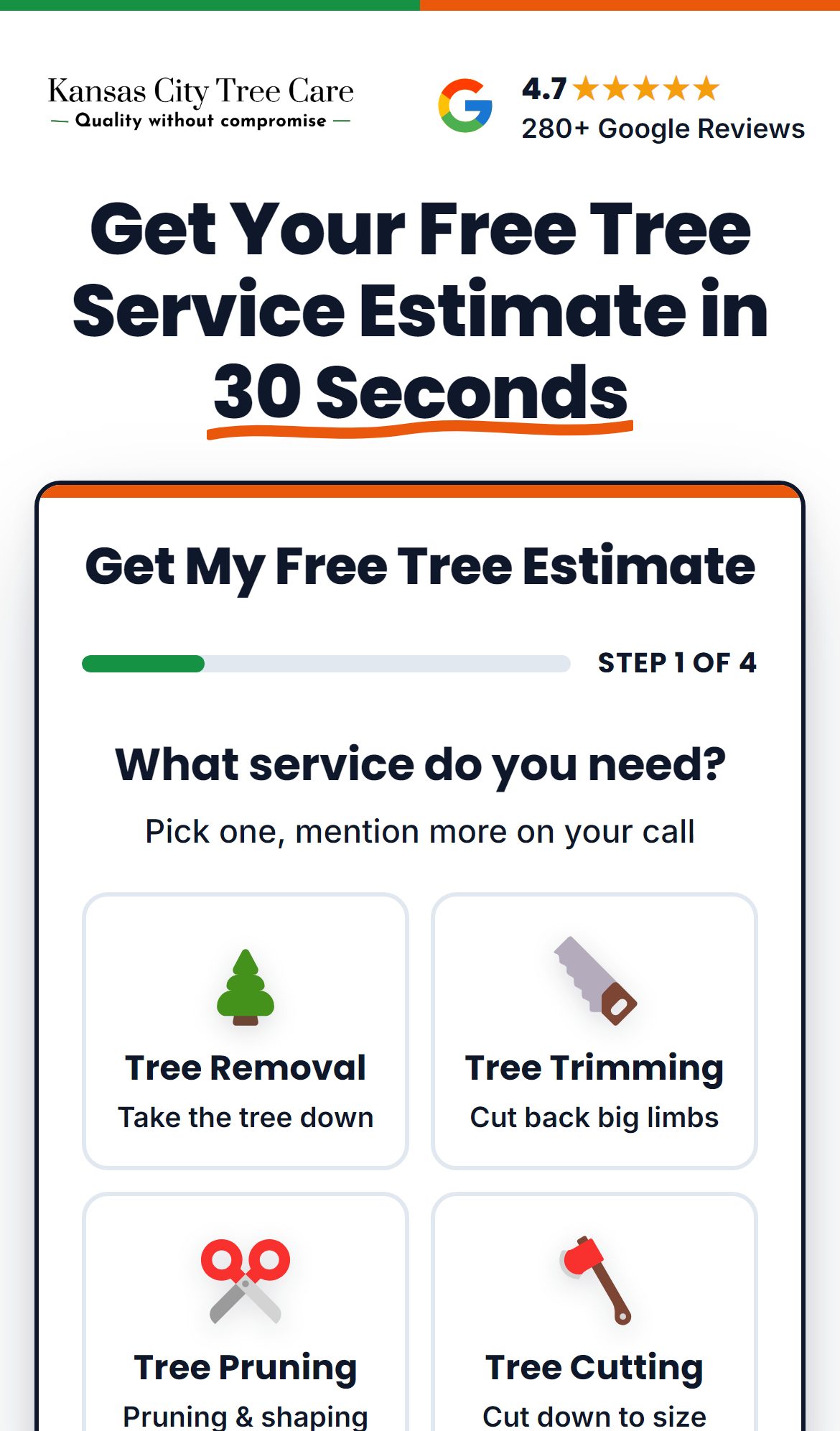
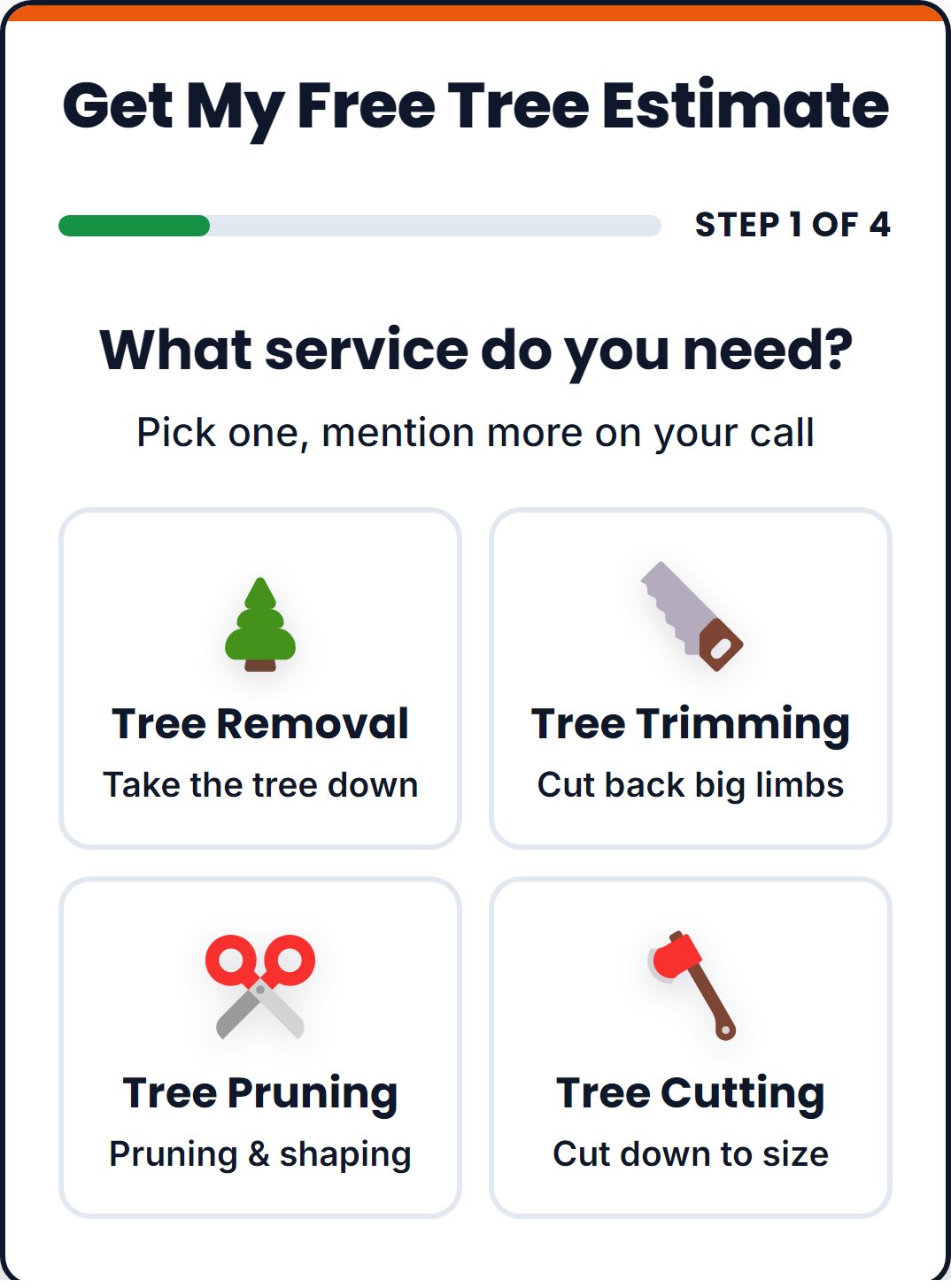
What is on it
- Their logo, reviews and service area
- Three questions, one at a time: what work, how many trees, how soon
- The lead form: name, phone, email, address, ZIP, straight into their CRM
- A book-a-call page after the form: they pick a time for the estimate call (mockup, not built yet)
- Or a chat version that asks the same things as a conversation
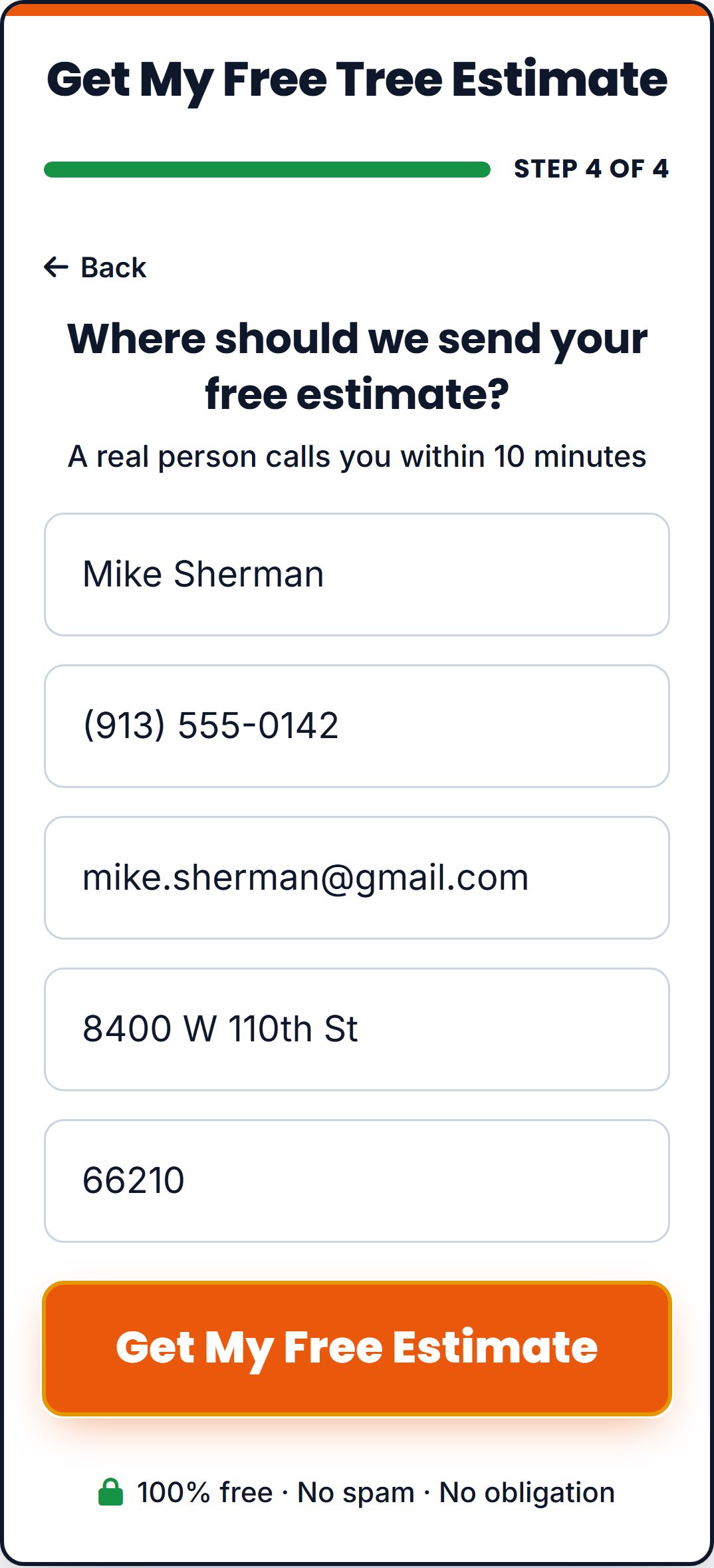
The Google landing page
Built for search: one page per town, and the town name and phone number change to match what they searched. See the Google setup →
Set up today, and not yet
Set up today
- Facebook landing page: Kansas City Tree Care only (kctc-tree-lp.pages.dev), the test running now
- Google landing pages, one per town: Kansas City (lp.kctreecareks.net)
- Every other client: Still on Facebook's own lead form until the Kansas City test proves out
- Book-a-call page: Mockup only
- Meta pixel on these pages: Not on either Kansas City page today
Video ads, from week one
A homeowner sees the real crew before they call: their trucks, their crane, their face. That is what gets the bigger jobs.
They have video: we run their videos as ads
- We take the videos they already post on Facebook and Instagram
- We add the hook, captions and the offer, and run them as ads
- They film nothing new
- It is their real crew and real jobs, so people trust it
No video: we make AI videos
How we make them
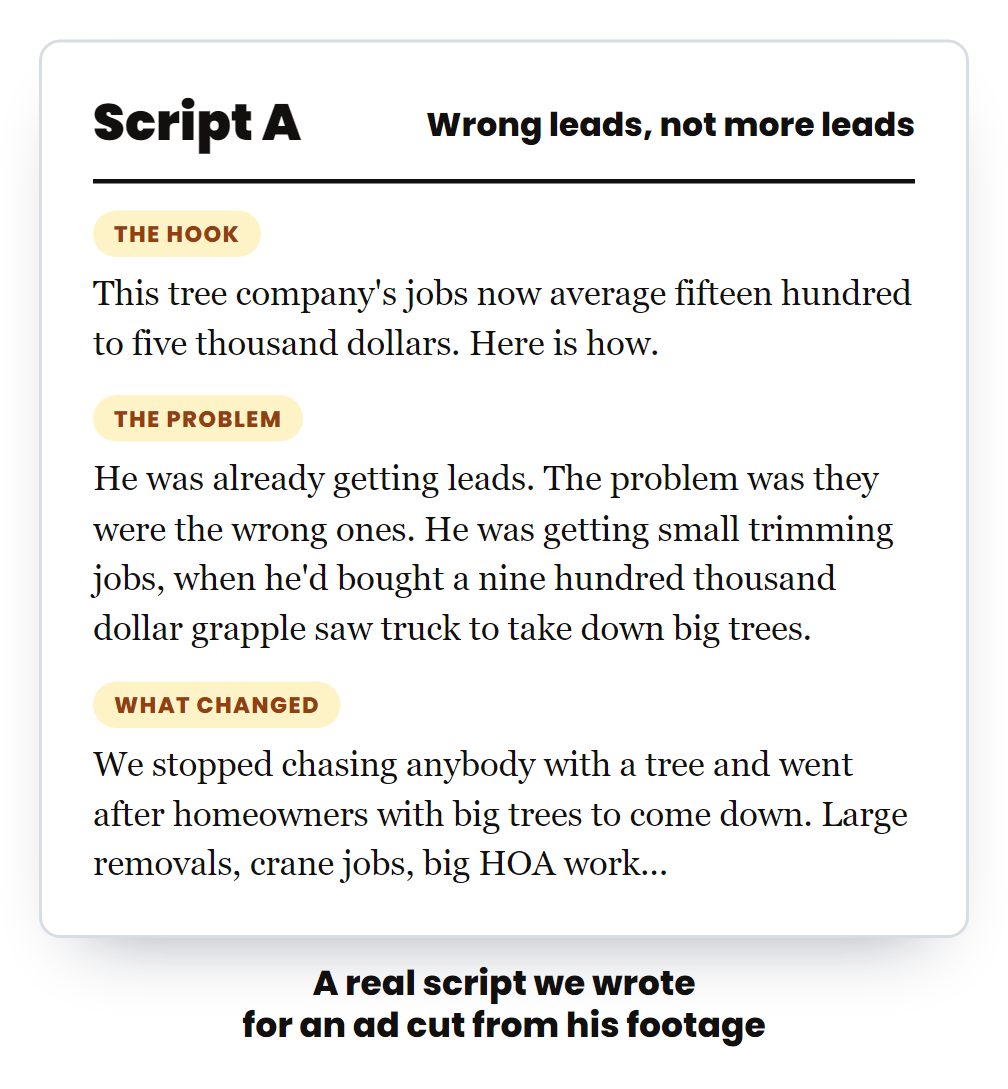
- Script: hook, problem, proof, offer. One per county
- Voice: the owner on camera for 8 seconds, or a voiceover with no face
- Footage: a photo that looks like a real phone photo, then one 4-second clip from it, built from their real trucks and town
- Edit: cut to the script, captions on, the offer at the end, 4:5 for the feed
- Check: judged against their real footage. If it looks fake it does not ship
- Client Studio: the finished ad goes into hsd-client-studio and the ads team uploads it
Set up today, and not yet
Set up today
- Video ads: Made for 6 clients so far, all in Client Studio
- Video for every client in month 1: Most clients still run image ads
Every angle, one ad set each
Ads that say something different each time, and a record of which angle paid.
Angles running or made right now
- Storm danger: "that big tree over your house"
- Bigger jobs: the big crane
- Owner story: real equipment, no rental fees
- Commercial jobs
- Dangerous tree, two questions (Florida, one cut per county)
- Tree problem, paying too much, most affordable (Texas)
| Kansas City, last 30 days, image ads by angle | Spend | Leads | Per lead |
|---|---|---|---|
| The 4-photo grid | $2,146 | 64 | $34 |
| Owner story: big tree removal, no rental fees | $700 | 18 | $39 |
| Bigger jobs: the big crane | $540 | 13 | $42 |
| Owner story: real equipment (newest) | $384 | 7 | $55 |
From Meta, active ads, last 30 days, pulled Oct 12. This is how we read which angle pays.
Set up today, and not yet
Set up today
- A few proven angles per client: Mostly as images
- Every angle written up front, as video and image: With a note each month on what won
Google Ads, and how it links to Facebook
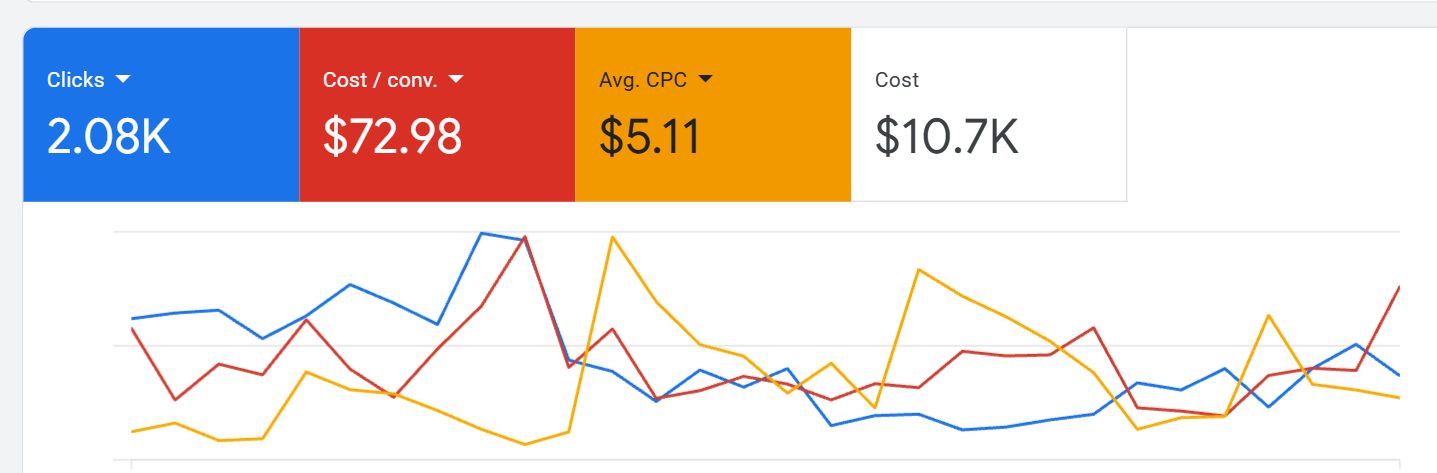
Search ads written for their town, their own landing page for every town, the junk searches blocked, and every lead followed up. Built on $4.9 million of Google Ads for tree companies across 68 accounts.
Search ads written for their town
- Their town in the headline
- Free estimate, licensed and insured, their reviews
- Many headlines tested, the winners kept
- Performance Max where it works
We block the junk searches
- 500+ words blocked on one account
- "Jobs", "free", "used", "sale" and "pictures" never show their ad
- Their money goes to homeowners, not job seekers
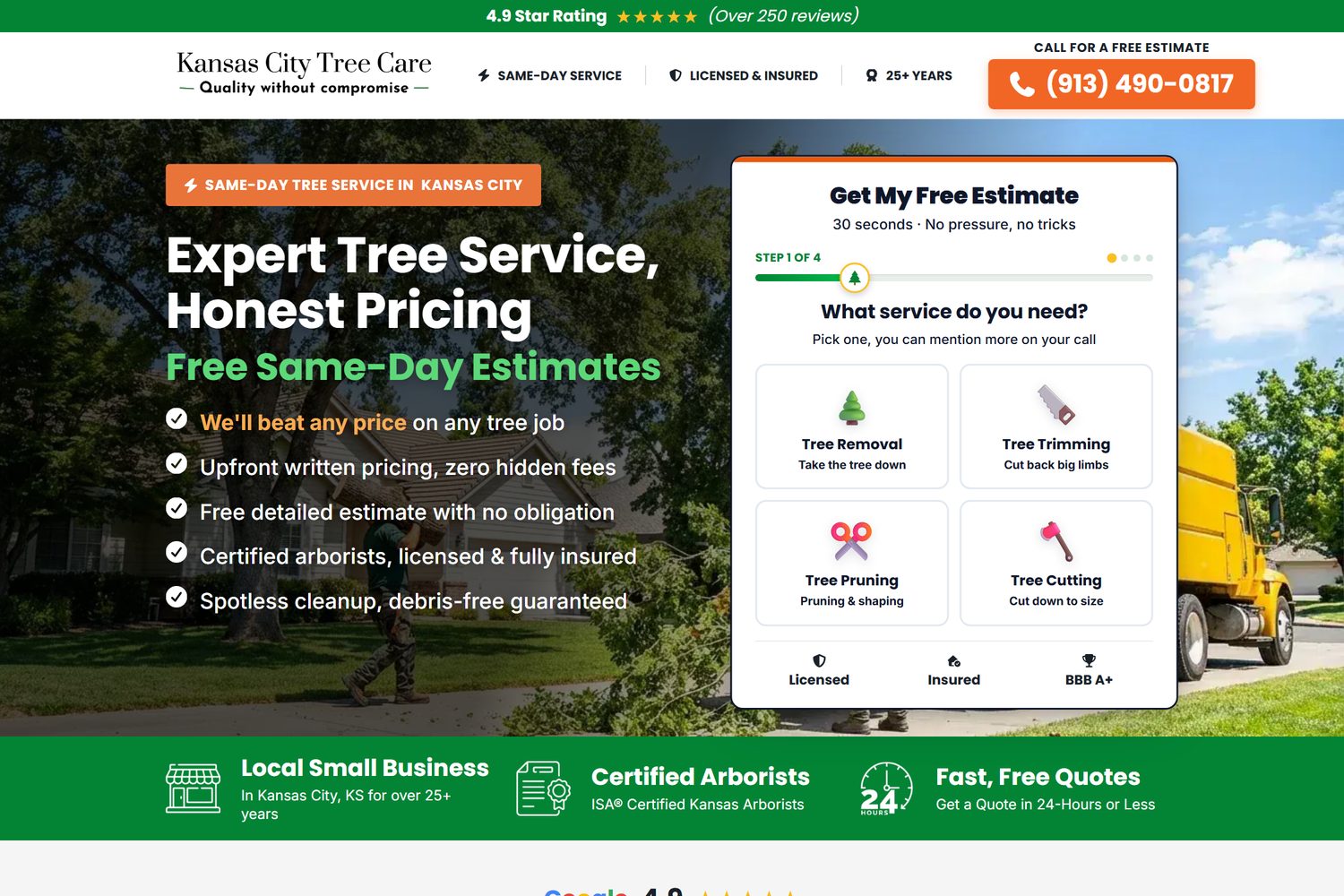
Their Google landing page
- One page per town: the town name and phone number change to match the search
- A 4-step estimate form that filters the junk
- Their reviews, licensed and insured, same-day
- Calls tracked by number, forms sent straight to their CRM
The link to Facebook
- The Meta pixel goes on this page
- Everyone who clicks a Google ad and does not call joins Facebook retargeting group 2
- They then see the client's crew, reviews and offer on Facebook and Instagram
- Google pays for the click once; Facebook keeps them warm for cents
Every lead followed up
- A text in under 60 seconds after every form
- Calls and texts in one app, from their business number
- Follow-ups until they answer
- Google gets its own card in their Client Command report
Set up today, and not yet
Set up today
- Search ads, negatives, town landing pages: Running for Google clients
- Call tracking and form to CRM on the Google page: Live on lp.kctreecareks.net
- Meta pixel on the Google landing page: Not installed. Checked today: the page loads Google Tag Manager (GTM-K7DMTKSJ) with the Google Ads tag only
- Google visitors retargeted on Facebook: Waiting on the pixel
Retargeting: bring them back
It goes back to people who already raised a hand and did not call. Cheap to run because the groups are small, and they see proof and the offer, not the first ad again.
Most homeowners do not call the first time. Retargeting is how the client gets that job a week later instead of the next company.
The five audiences
| Audience | Who is in it | Built from | Seen the offer? | What they see |
|---|---|---|---|---|
| 1. Their landing page visitors | Everyone who visited the Facebook landing page or their website and did not call | The Meta pixel | Yes | Reviews, a real job, the offer again, back to their page |
| 2. Their Google Ads visitors | Everyone who clicked a Google ad, landed on the Google landing page and did not call | The Meta pixel on the Google page | Yes | Same as audience 1 |
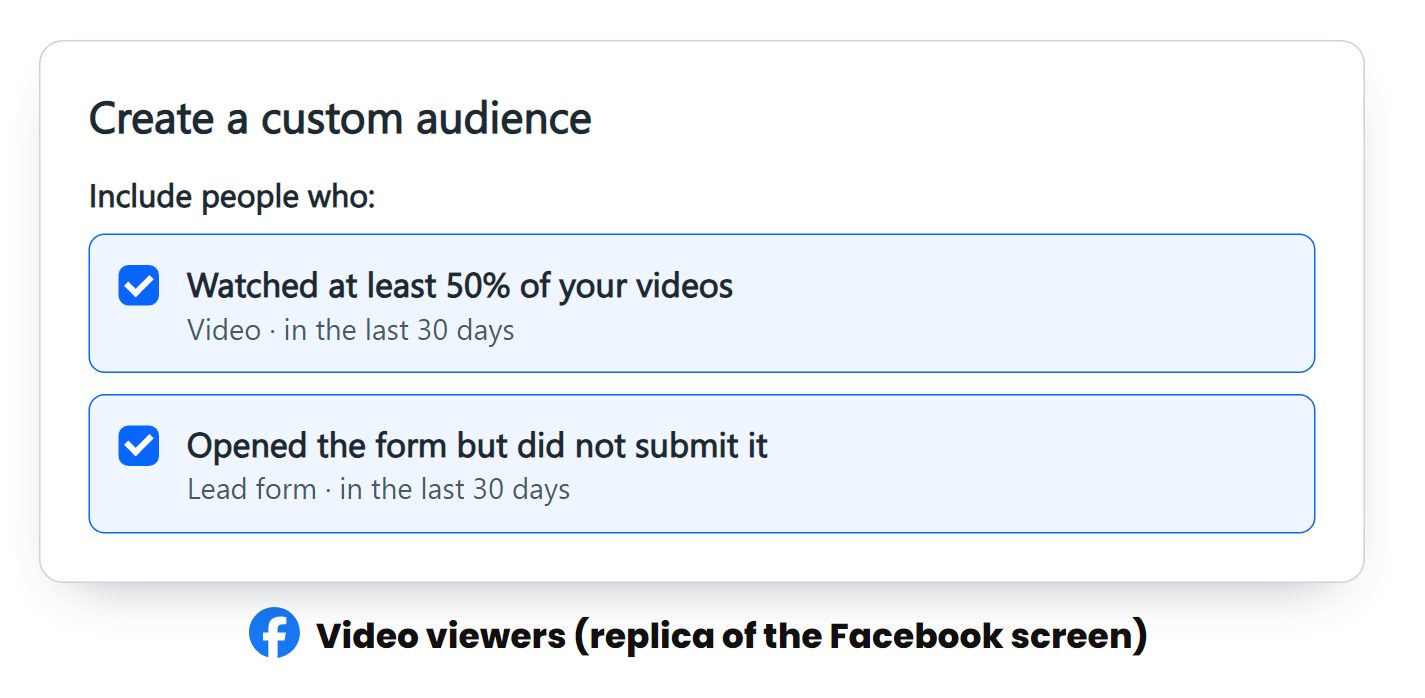
| 3. Their Facebook ad viewers | Watched half a video ad, or opened the lead form and did not finish | Facebook engagement | Yes | Proof and the offer, a different ad from the one they saw |
| 4. Their followers and video watchers | Everyone who follows or engages with their Facebook and Instagram, and everyone who watched their boosted posts | Page and video engagement | Not always | The offer itself: the owner or crew on camera, a real job, then the offer and the page |
| 5. Past customers | Their customer list, if they have one | A list upload | They know the company | "We are in your area this week", seasonal work, a review ask |
To switch it on for a client
- Install the Meta pixel on the Facebook landing page and the Google landing page, and check it fires
- Build the five audiences in their ad account (30 to 180 days), with the same ZIP filter
- Make the ads: reviews, a real job, the owner on camera, the offer
- Launch once the audiences have people in them
Set up today, and not yet
Set up today
Nothing yet.
- Pixel on client landing pages: Not on either Kansas City page
- The five audiences: Not built for any client
- Retargeting campaign: Not running for any client
Their organic content: a town that knows their name
When a tree comes down, the homeowner already knows who to call, because they have watched that crew work all year.
Boost what they already post
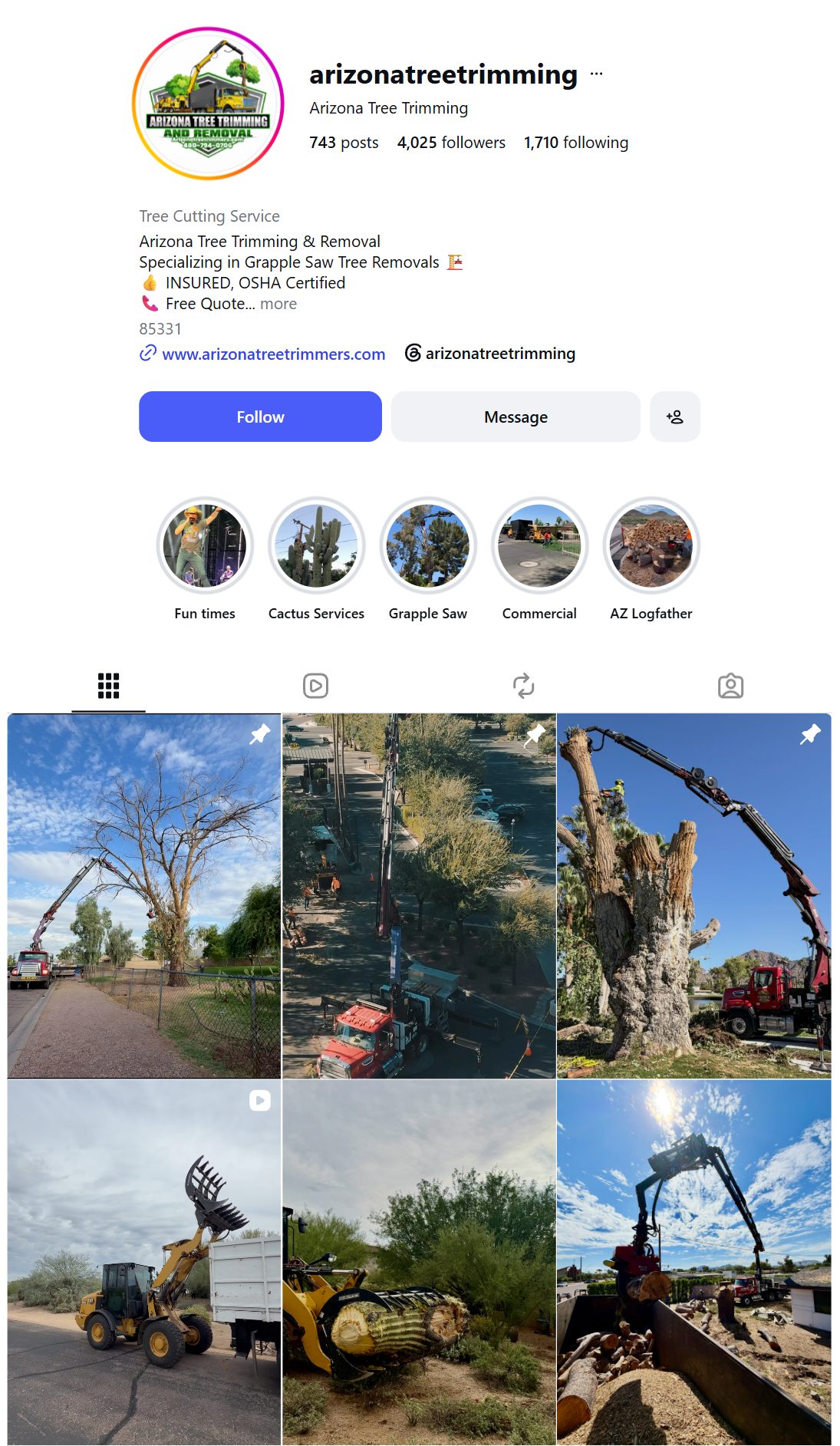
- A small budget behind the posts and reels they already made
- The goal is views, not leads: more local people watching their work
- Everyone who watches joins retargeting audience 4
- Then they see the offer, from a crew they already recognize
When they want us to post for them
- They send us their photos and videos
- We turn them into posts and reels and post them
- They never open the app
How we make their posts
The same way we make our own organic content: written for a homeowner scrolling on their phone, not for another tree guy.
Do
- Open on the homeowner's problem in plain English: "Got a big tree in the backyard and no way to get equipment back there?"
- One idea per video, every line easy to understand
- Quick cuts, 4 seconds or less each
- Their real crew, trucks and jobs on screen
- End on what to do next: call, or message for an estimate
- Words a homeowner would not use ("the wrong crew will drop pieces on your roof")
- Hooks that do not fit a homeowner (they do not own equipment)
- Long talking intros
- Anything that looks fake next to their real footage
Set up today, and not yet
Set up today
Nothing yet.
- Organic boost campaign: Not running for any client
- Posting for clients: Not set up
Every lead followed up
The ads only matter if someone gets back to the homeowner fast. The system does it for the client.
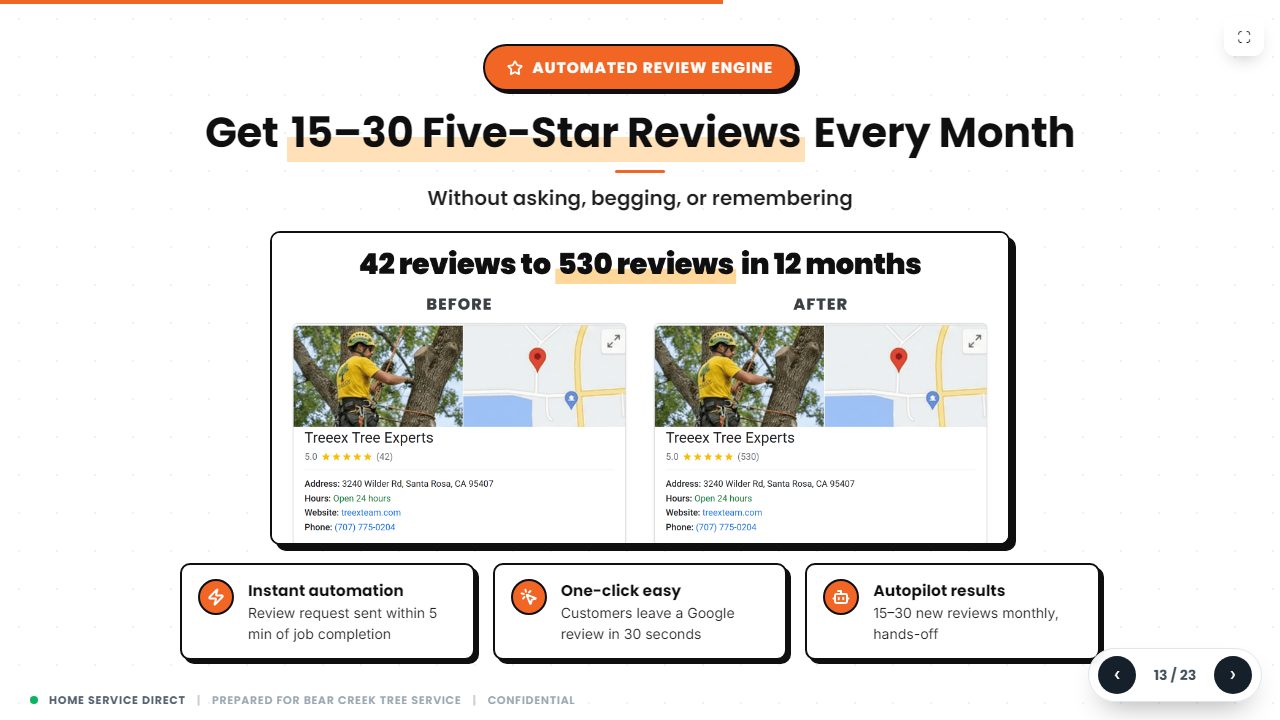
What runs in every account
- Every call and form from Facebook, Google and their website lands in their CRM
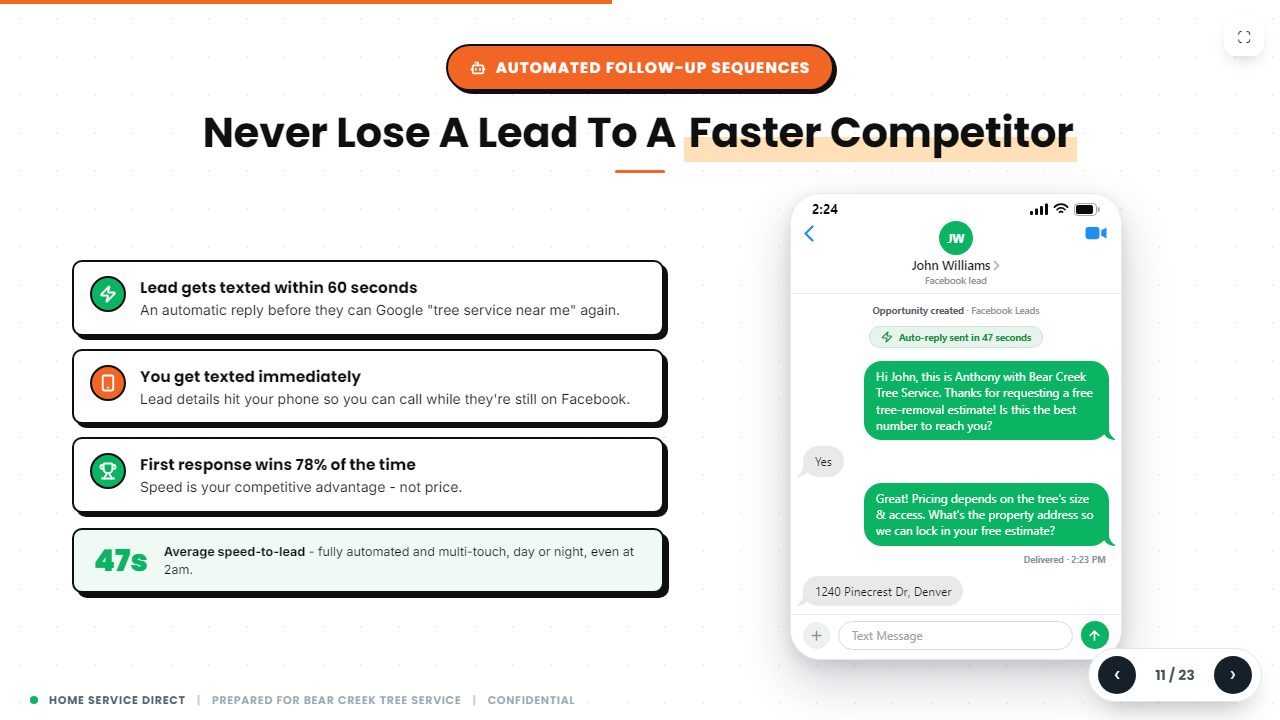
- A text goes out within 60 seconds of every new lead
- Follow-ups keep going until the homeowner answers
- After every job, a review text: 4 and 5 stars go to Google
An account manager
- Sebastian is their person: text or call him any time
- Checks the leads are coming in, are good, and are closing
- Changes towns or budget when they ask
- Spanish if they need it
- Hiring ads for climbers, groundmen and office help, made and run for them
Set up today, and not yet
Set up today
- CRM, 60-second text, follow-ups, review machine: In every account
- Account manager and hiring ads: Every client
Nothing open.
The client report: proof down to the job
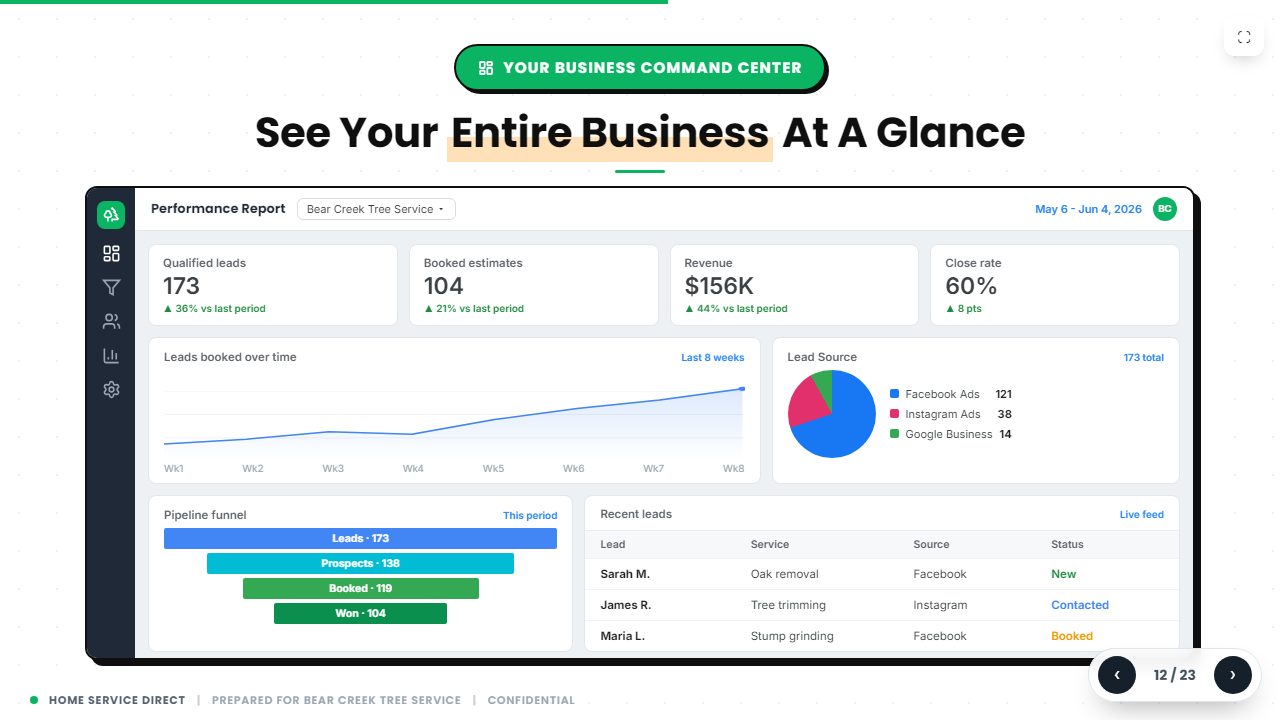
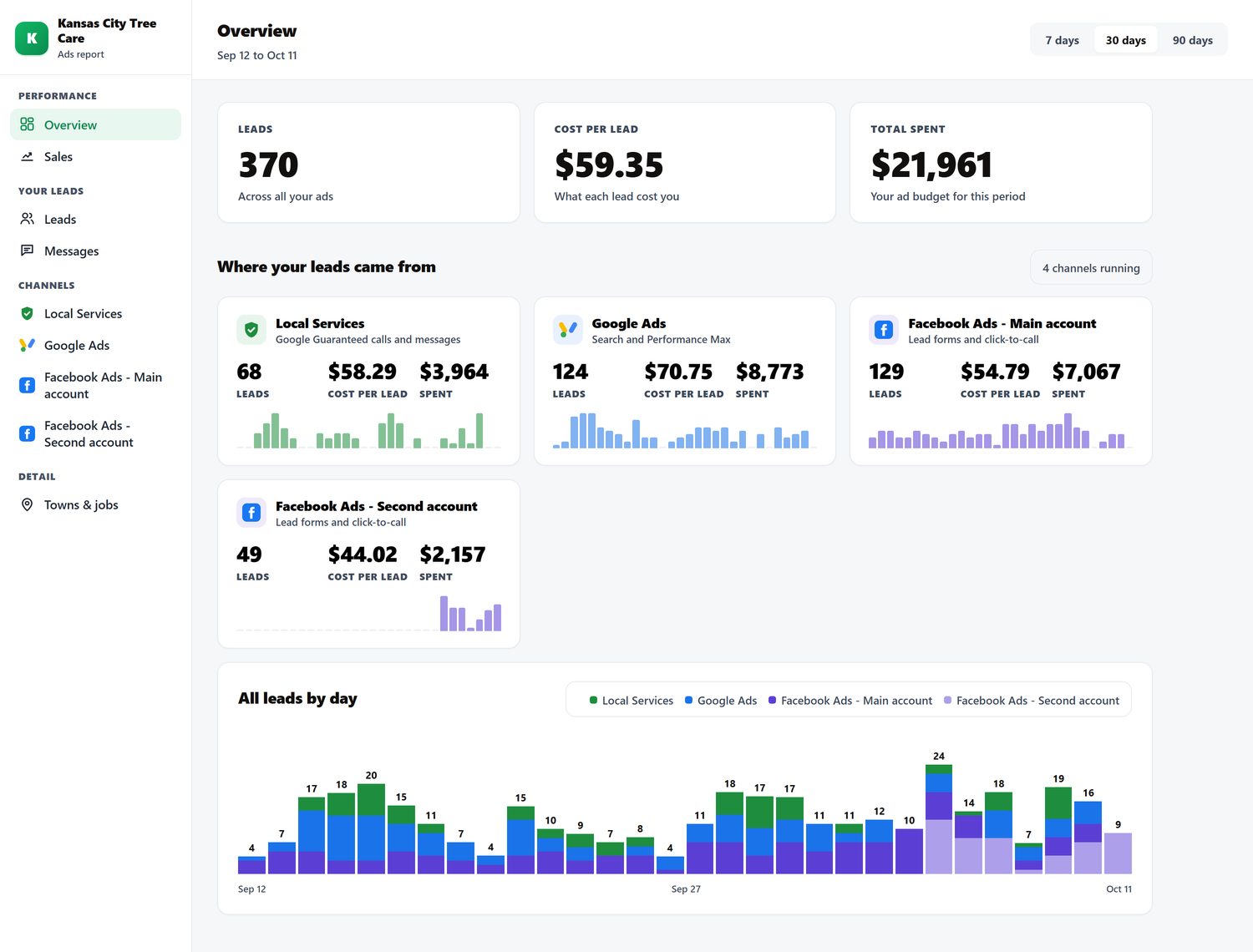
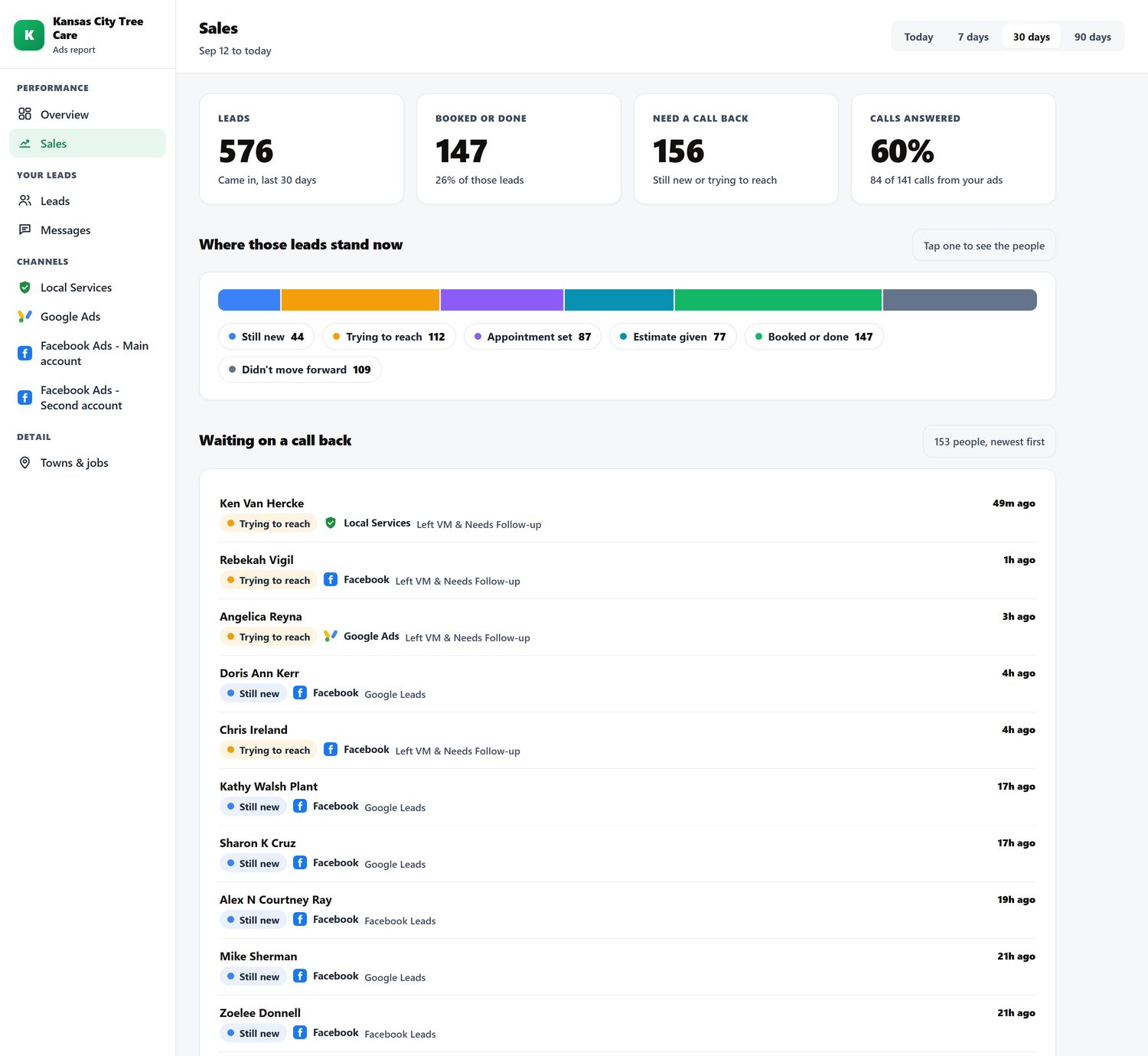
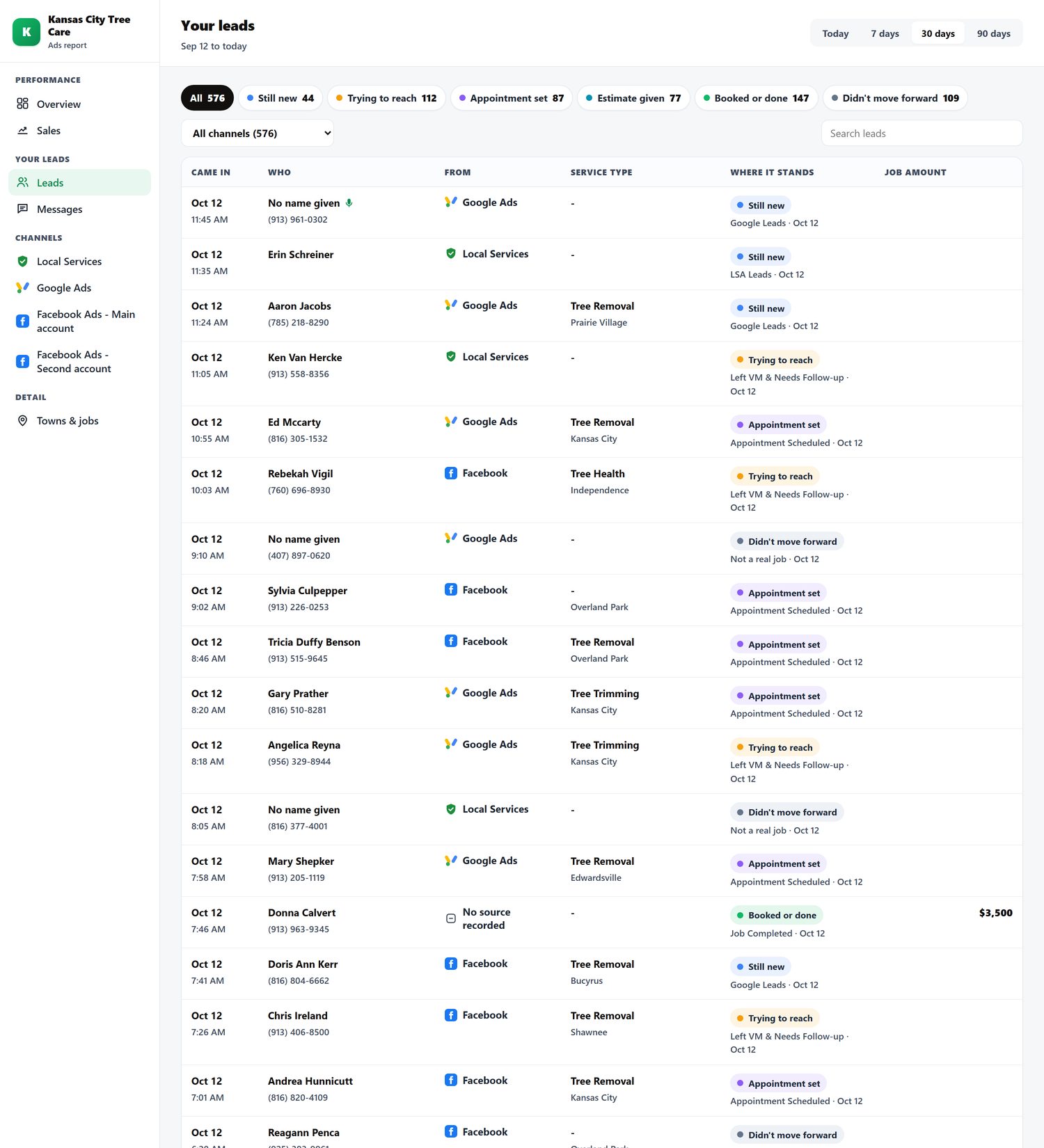
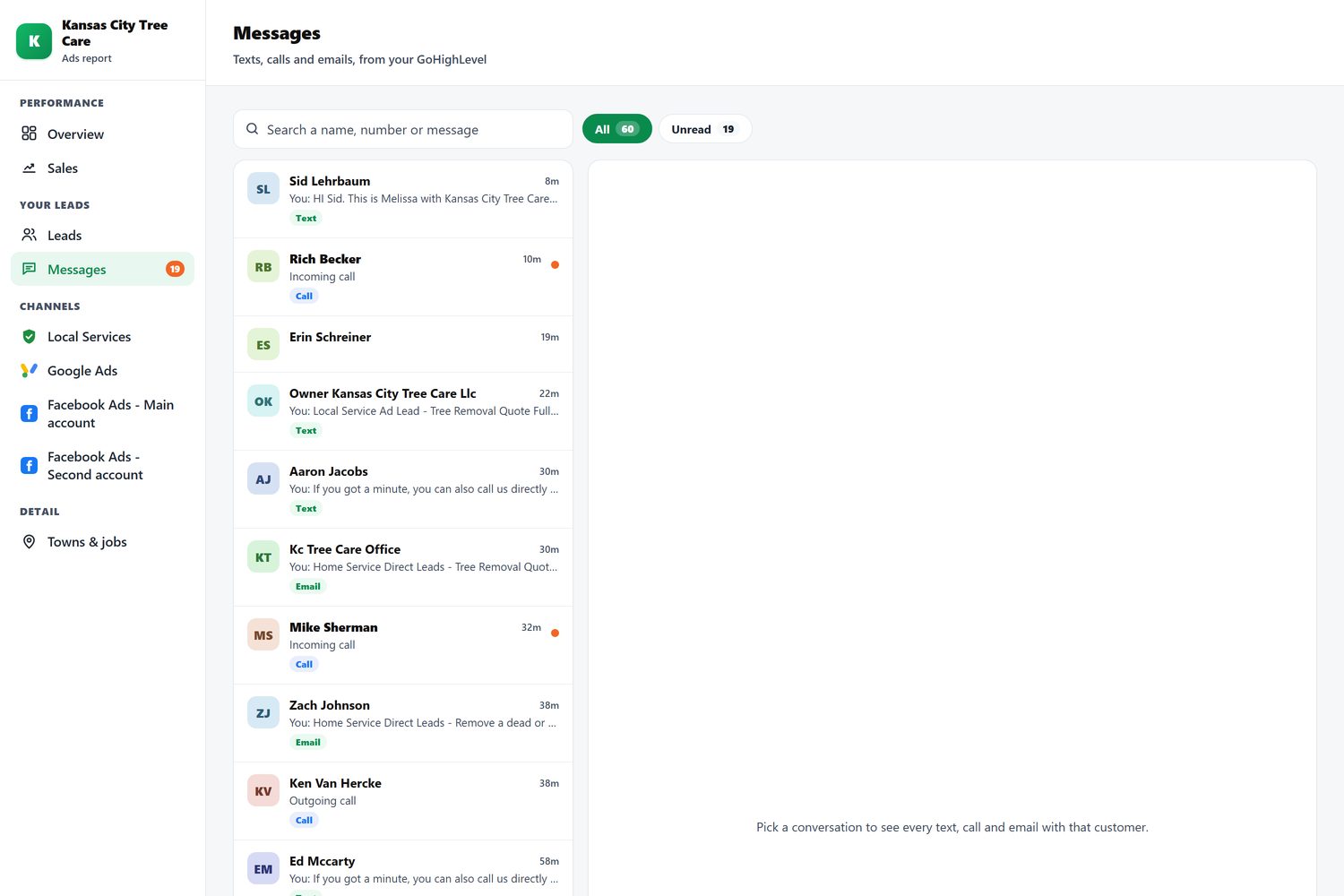
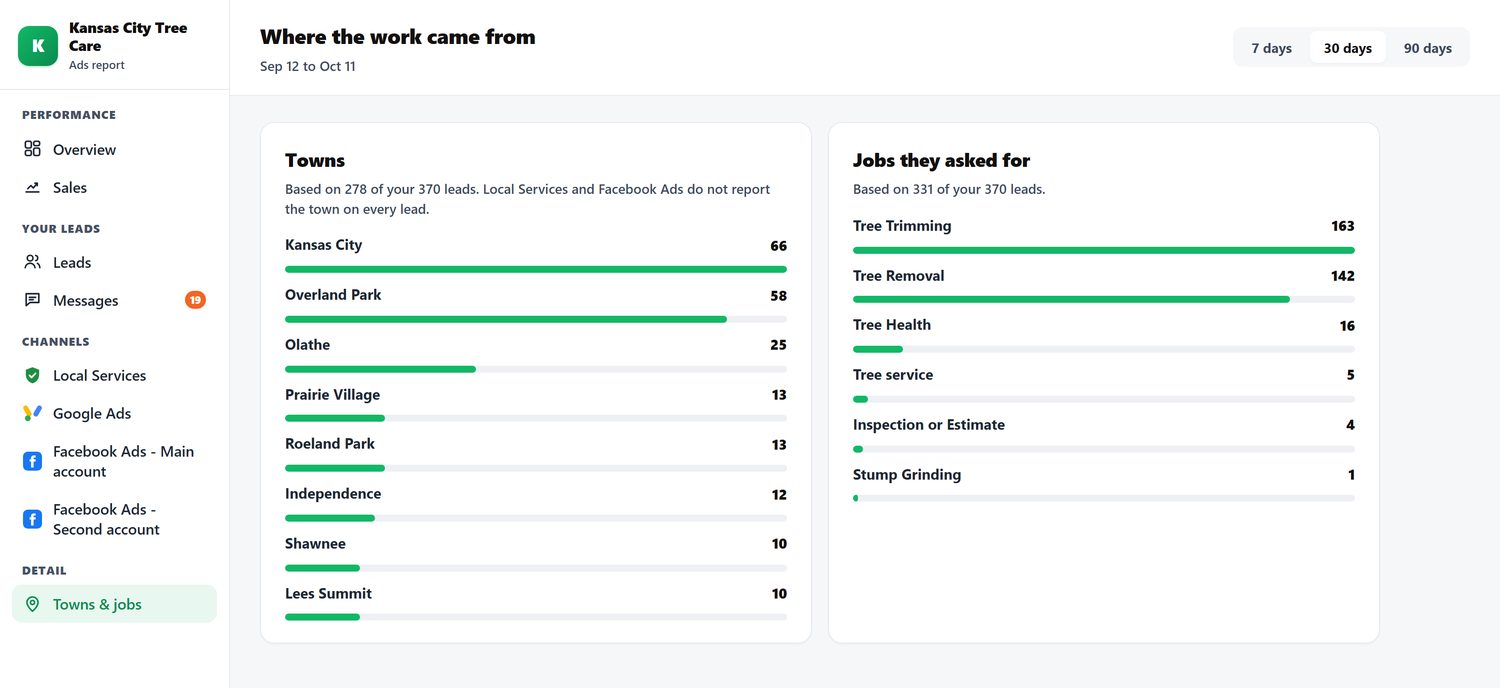
Client Command pulls every channel into one report the client can open on their phone: what was spent, what came in, and where every lead stands. No spreadsheet, no "trust us".
What is on it
- Overview: leads, cost per lead and spend; one card per channel; every lead by day; 7, 30 or 90 days
- Sales: where every lead stands (new, trying to reach, appointment set, estimate given, booked or done), who is waiting on a call back, calls answered, booked rate by source and service
- Leads: one row per lead, filter by stage or channel, job amount once booked, tap for the whole story
- Messages: the whole conversation with each customer
Set up today, and not yet
Set up today
- Full report, every tab: Kansas City Tree Care
- Sales, Leads and Messages tabs for every client: Built, switched off for the others
What is not set up yet
| Piece | Where it stands (checked Oct 18) | What it unlocks |
|---|---|---|
| Meta pixel on the Google landing pages | Not installed on lp.kctreecareks.net (Google Ads tag only) | Google visitors retargeted on Facebook |
| Meta pixel on the Facebook landing pages | Not installed on kctc-tree-lp.pages.dev | Page visitors retargeted; better lead optimization |
| The five retargeting audiences | Not built for any client | Campaign 2 |
| Retargeting campaign | Not running for any client | The jobs from people who did not call the first time |
| Organic boost campaign | Not running for any client | Audience 4 grows; the town knows their name |
| Own landing page for every client | Only Kansas City has one (the test running now); every other client uses Facebook's lead form | Fewer junk leads, and something to put the pixel on |
| Book-a-call page | Mockup only | A booked estimate time, not just a name and number |
| Video ads for every client | 6 clients so far | Bigger jobs from people who saw the real crew |
| Client Command report for every client | Only Kansas City has every tab on | Proof of what we brought in, for every client |
Pixel checks: the live pages were fetched on Oct 18 and their scripts and tag manager container read. Other clients' pages still need the same check.